How it works
Two minutes of setup, then nothing
There is no app, no guest list to manage, and nothing to do on the day itself. Here is the whole thing, start to finish.
Create your event
Sign in, name your event, set the date, and pick styling. Your gallery link and QR code are generated automatically.
It takes about two minutes. You need an email address to sign in; you do not need to add a payment method to start on the free plan, and you can change the name, date, and styling later.
Customize the gallery
Adjust colors, cover image, and upload settings. Choose a plan that fits your upload volume and how long you need the album live.
Set a cover photo and accent colour so the upload page looks like your event, decide whether guests can post videos and text notes as well as photos, and pick the plan whose photo limit and retention window match the size of your guest list.
Share the link or QR code
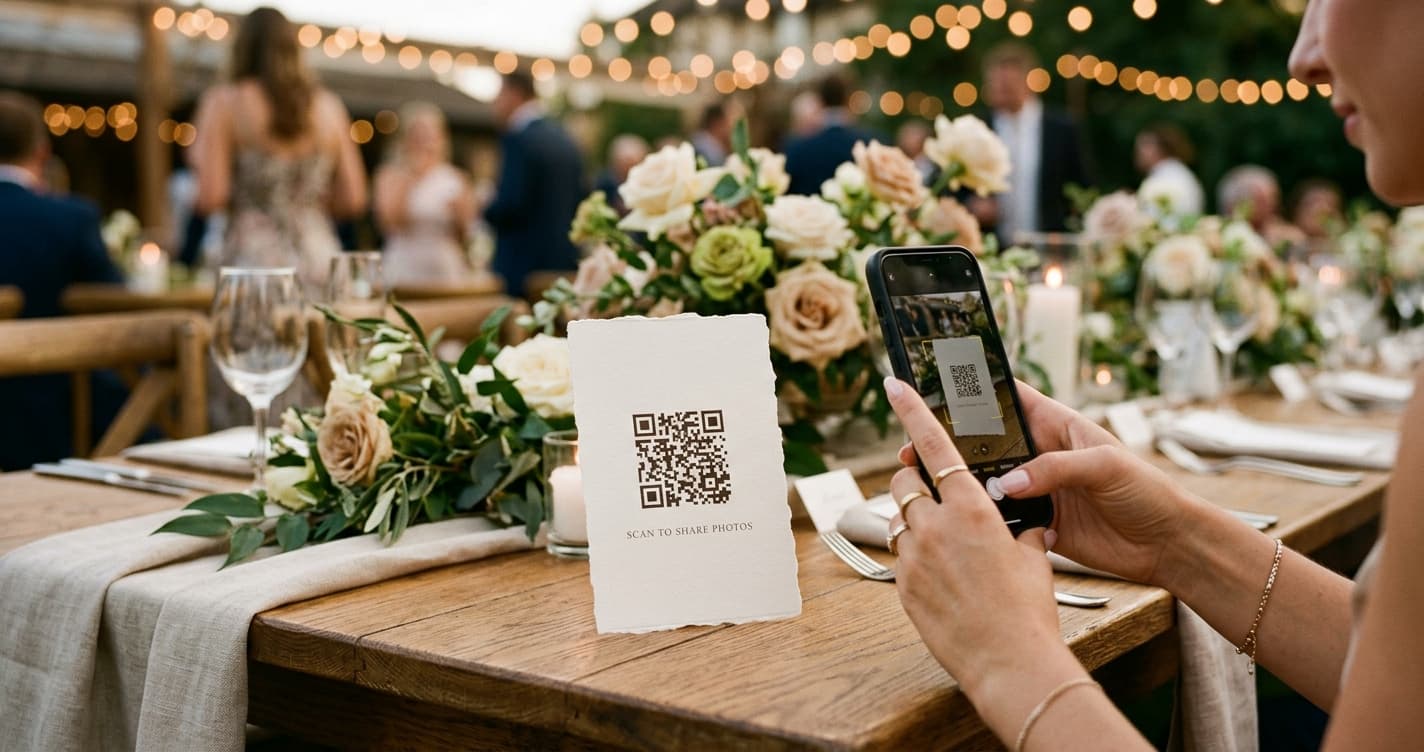
Send the URL in a group chat, email, or invitation. Print the QR on table cards or entrance signs so guests can contribute on the spot.
The same short link works everywhere — in a WhatsApp group, on the RSVP email, or printed as a QR code on table cards and entrance signage. Guests can also type it in by hand if a camera will not scan.
Guests upload from their phones
Guests open the page in their browser and add photos, videos, or messages. No app download and no account creation for them.
Scanning the code opens the upload page in whatever browser the phone already has. Guests tap to pick photos from their camera roll, add a short message if they like, and upload — no sign-up, no password, nothing to install.
View, display, and download
Follow uploads in your dashboard, optionally show a live slideshow at the venue, and download everything when the event is over.
Watch the count climb in your dashboard as photos arrive, put the live slideshow on a TV or projector during the event, and download the whole gallery in one archive once it is over. Paid plans keep everything in full resolution.
What guests see
A guest points their camera at the QR code, or taps the link you sent. The upload page opens in their browser with your cover image and event name at the top. They tap once to choose photos and videos from their camera roll, add an optional message, and hit upload. There is no account screen, no password, and nothing to install — the whole thing takes about fifteen seconds, which is why guests actually do it rather than promising to “send them later.”
Printing your QR code
Download the QR code from your dashboard and put it where people are already sitting or standing still: table cards, the back of the order of service, a framed sign by the entrance or the bar. Keep it at least 3 cm across so older phone cameras can read it, and include the plain link underneath as a fallback. One sign per table works better than a single poster nobody walks over to.
After the event
Your gallery stays live for the active period on your plan, so late uploads and next-morning photos still land in the same album. Any time before or after that, open your dashboard and download the whole gallery as one archive — on Pro and Premium every file comes back in full resolution. When the active period ends the gallery becomes read-only rather than disappearing, and you can extend it or re-download from the dashboard. Retention windows for each plan are on the pricing page.
How it works: common questions
Do guests need to download an app or create an account?
No. Guests scan the QR code or open the link, and the upload page loads in their phone browser. There is no app to install and no sign-up — they pick photos and upload straight away.
What if a guest has no smartphone or cannot scan the code?
The QR code is just a shortcut to a normal web address. Anyone can type that link into a browser on any phone, tablet, or computer and upload the same way, or send their photos to someone who can.
Can I see photos as they come in during the event?
Yes. Your dashboard updates in real time, and you can run a live slideshow on a screen at the venue that adds each new photo automatically without a refresh.
How long does setup actually take?
Creating the event and getting your link and QR code takes about two minutes. Customising the cover image, colours, and upload settings adds a few more. There is nothing to do on the day itself.
Your album is two minutes away
Set it up tonight, print the sign this week, forget about it until the photos start arriving.